


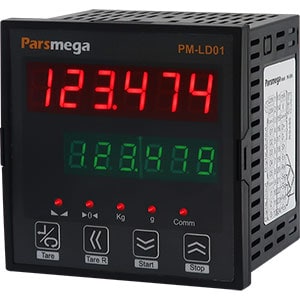
PM-LD01
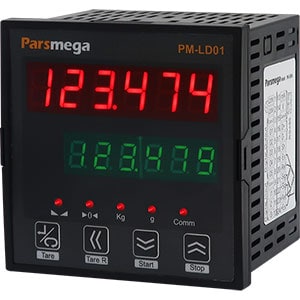
One load cell channel, supporting up to six 350 Ω load cells in parallel
 RS485 communication
 Modbus communication
 Relay output
 Isolation
 Digital input
 Digital output


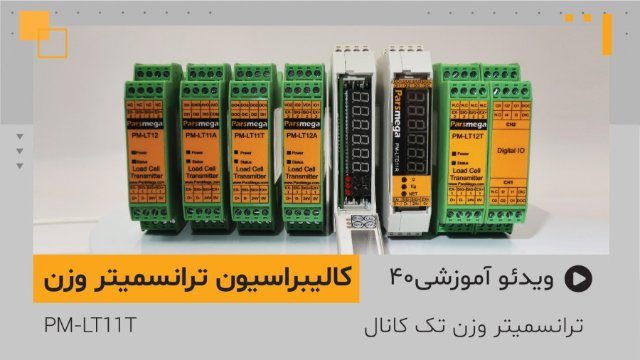
For example, PM-LT12 or load cell transmitter
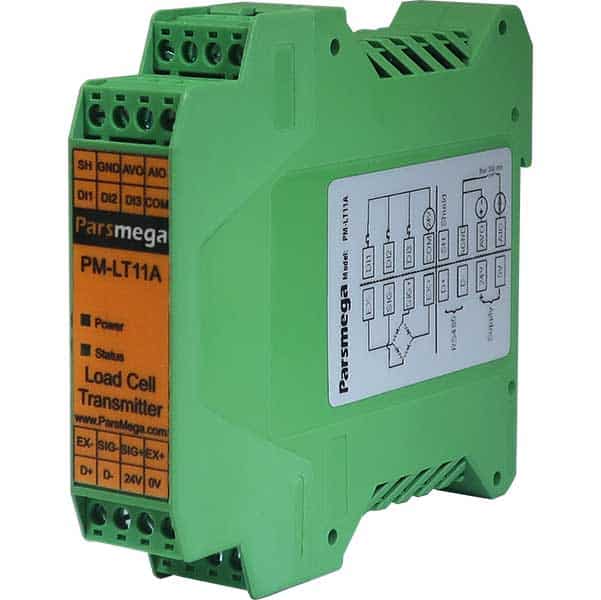
PM-LT11A
The PM-LT11A reads one load cell channel with a 24-bit converter and supports up to six load cells in parallel. It sends weight readings to PLCs and HMIs through an isolated 16-bit analogue output or isolated RS485 Modbus for batching, packaging and silo weighing.
RS485 communicationModbus RTU / ASCIIIsolation Analogue outputDigital input
 18-month warranty
The PM-LT11A is a single-channel DIN rail weight transmitter that converts the millivolt load cell signal into a standard analogue signal. It reads one load cell channel (up to six 350 Ω load cells in parallel) with a 24-bit ADC at 1:100,000 resolution and sends the weight to a PLC, HMI or PC through an isolated 16-bit analogue output and isolated RS485 with Modbus.
A load cell signal is only a few millivolts and cannot go straight into a PLC analogue card. The PM-LT11A converts it to 4–20 mA or 0–10 V next to the load cells or in the panel, so the PLC reads the weight like any other analogue sensor. On a silo with four load cells, for example, scale the 4–20 mA output to 0–20 t and the PLC controls the silo level by weight.
The analogue output has four ranges: 0–5 V, 0–10 V, 0–20 mA and 4–20 mA. It can follow net weight, gross weight or a Modbus register, and is scaled with a minimum and a maximum weight. The isolated analogue output and RS485 prevent measurement errors in noisy panels or with different grounds.
Besides a moving-average filter, it has a smart filter that removes noise while the weight is steady and reacts quickly when it changes, which suits fillers and batching where both stability and speed matter. Over Modbus you can also read the maximum and minimum weight, a captured weight and the rate of weight change.
Setup and calibration are done over RS485 with Modbus or with the Parsmega PC software. If you need the weight displayed and set up with keys in the panel, see the PM-LTD11A.
Note: check the analogue output state before connecting it; it may carry a value during first setup. Use shielded cable for the load cell and leave only a few centimetres unshielded at the cable end. See also 4-wire vs 6-wire load cells and improving load cell accuracy with proper earthing.
Note: the load cell output voltage in millivolts can be read over Modbus, which helps with troubleshooting. For more methods, see load cell testing methods.
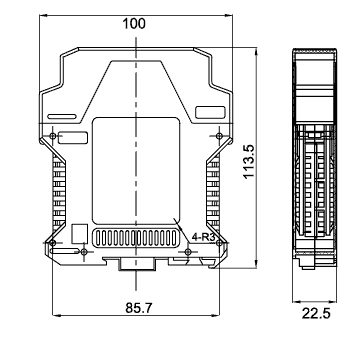
The device measures 100 × 113.5 × 22.5 mm and mounts on a DIN rail.
The PM-LT11A fits where the weight must reach a PLC as an analogue signal and no display is needed in the panel. Related models:
To compare all models, see the weight transmitter category. Parsmega engineers can recommend the right model for your number of load cells, output type and control system.
All three are single-channel DIN rail weight transmitters. The PM-LT11A has an analogue output but no display, and is set up over RS485. The PM-LTD11A has the same analogue output plus a display and keys. The PM-LT11T has transistor outputs instead of the analogue output.
Over the RS485 port with Modbus, or with the Parsmega PC software. To connect to a PC, use the PM-US02 USB-to-RS485 converter. Send the Save command after changing settings; otherwise the previous values return after a power cycle.
A moving-average filter removes noise but adds a delay between a weight change and the output. The smart filter acts like a moving average when the weight is steady and reacts quickly when the weight changes. To enable it, select the smart filter type and run the automatic tuning; the load must not change during those 10 seconds.
Choose the output type and set the weights for the minimum and maximum output. For example, with 4–20 mA, a minimum of 0 and a maximum of 1000 kg gives 4 mA at zero and 20 mA at one tonne. If you set the output source to the Modbus register, the PLC sets the output value directly.
Yes. Both the analogue output and the RS485 port are isolated, which prevents measurement errors and damage to the PLC analogue card in panels with different grounds or heavy noise.
Two ways: automatic, by entering the mV/V, capacity and number of load cells from the calibration sheet, without weights; or with a reference weight. The device stores six calibration profiles, numbered 0–5.
Gross, net and tare weight, maximum and minimum weight, the weight captured with the Capture command, the rate of weight change over a set time and the load cell output voltage. The weight is available as a float and as a long integer.
24 VDC supply, 100 × 113.5 × 22.5 mm for DIN rail mounting, and an 18-month warranty from the invoice date.
An English manual is not available for this product yet.

PM-LD01
One load cell channel, supporting up to six 350 Ω load cells in parallel
RS485 communicationModbus communicationRelay outputIsolationDigital inputDigital outputPM-LD01A
Analogue outputs: 0–5 V, 0–10 V, 0–20 mA and 4–20 mA
RS485 communicationModbus communicationRelay outputIsolationAnalogue outputDigital inputDigital outputPM-LD31
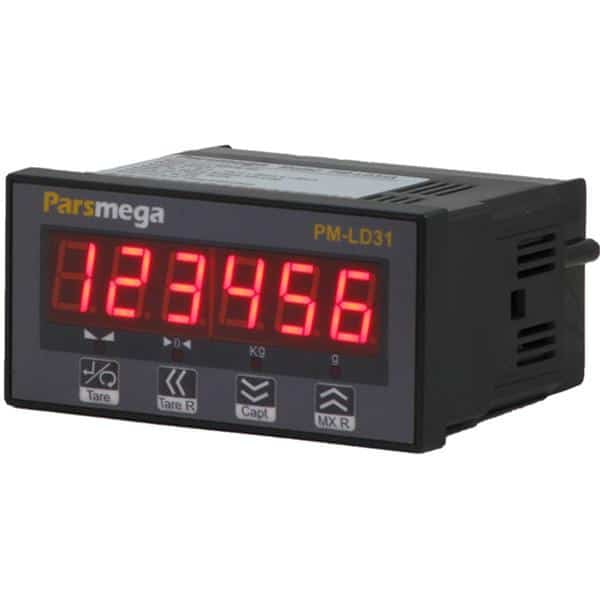
One load cell channel, supporting up to six 350 Ω load cells in parallel
RS485 communicationModbus communicationRelay outputIsolationDigital inputDigital output