


 Reading time: 3 min
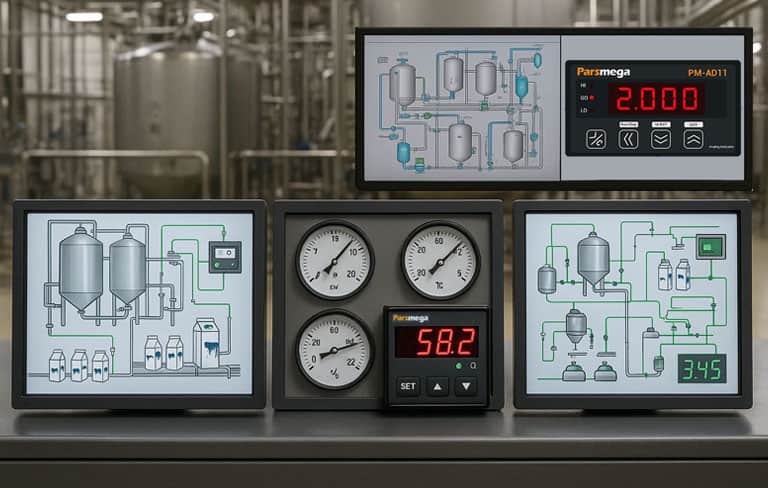
A panel meter is an instrument mounted in an electrical or control panel to display a measurement. Depending on its input and design, it may show voltage, current, power, frequency, temperature, pressure, speed or another process variable.
It gives operators a local view of the process. Models with suitable relay outputs can also signal limits or perform configured control functions.
An application example: dairy temperature monitoring
A temperature transmitter can send an analogue measurement from a milk storage tank to a compatible panel meter. The meter displays the reading and, where equipped and configured, signals an out-of-range condition locally or to the control system. Operators can then investigate and correct the process. The alarm system supports product-quality control; it does not by itself guarantee it.
Why use a panel meter?
- Display real-time electrical measurements such as voltage, current, power, frequency and power factor, where supported.
- Show process variables such as temperature, pressure, speed and level from compatible signals.
- Help operators see whether the process is within its configured limits.
- Provide alarms or control through relay-equipped models.
- Communicate readings to PLCs or SCADA through interfaces such as RS485 Modbus, where available.
Analogue and digital panel meters
An analogue meter typically uses a pointer for a continuous visual indication. It can make an overall trend easy to see, while exact readings may be less convenient and can be affected by viewing error.
A digital meter uses a numeric LCD or LED display. Depending on the model, it can provide scaling, alarms, communication and data functions. Cost, power requirements and capabilities vary; the display type alone does not establish accuracy.
Typical applications
- Factory electrical panels and production-line measurements
- HVAC temperature, pressure and fan-speed indication
- Water and wastewater pumping: level, pressure and motor current
- Generators and UPS systems: frequency, voltage and load
- Machinery: RPM, bearing temperature and hydraulic pressure
- Power distribution: phase voltage/current monitoring
- Food and pharmaceutical process and storage monitoring
Panel meter versus multimeter
| Feature | Panel meter | Multimeter |
|---|---|---|
| Installation | Fixed in a panel | Usually portable |
| Use | Continuous monitoring | Measurements taken by an operator |
| Automation connection | Available on communication-equipped models | Usually not an industrial control interface |
| Purpose | Local process indication and supported control | On-site measurement and troubleshooting |
The Parsmega AD11 family
The three models accept standard 0–10 V, 0–5 V, 0–20 mA and 4–20 mA inputs and support resistive linear position sensors. Their outputs distinguish the variants:
- PM-AD11: indication and RS485 Modbus.
- PM-AD11R: adds three relay outputs, described as Hi, Go and Lo, for configured control or alarms.
- PM-AD11A: adds an isolated standard analogue output alongside the relay and serial functions.
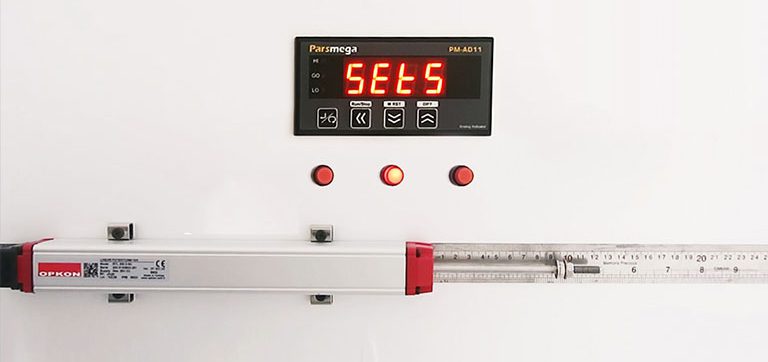
Features described across the family include a single-row seven-segment display, resistive position sensor indication/calibration, computer configuration software, three status LEDs, a 24-bit ADC and RS485 Modbus RTU/ASCII. The 16-bit voltage/current output belongs to the analogue-output model; isolation and other capabilities must be checked by model.
Compare the product pages for the exact inputs, output arrangement, supply variant and installation requirements. A properly selected meter supports clear monitoring and integration with the wider automation system.